A home office you use for a few hours a week and one you use forty hours a week are different design problems. The second needs proper ergonomics, controlled lighting, and some acoustic consideration — the first mostly needs a surface and a chair.
Most home office advice covers aesthetics. This covers the things that actually affect whether you can work in the space for a full day without discomfort.
The Ergonomics That Matter
These are the measurements that determine whether a workspace is usable long-term.
Desk Height
720–750mm is the standard, designed around an average-height adult.
The check: with your feet flat on the floor and forearms resting on the desk, your elbows should be at roughly 90 degrees.
If you're shorter than average: the desk will be too high. Either use a footrest and raise the chair, or use an adjustable desk.
If you're taller: the desk will be too low, which causes shoulder and neck strain. Risers or an adjustable desk are the fix.
Chair Height
Feet flat on the floor, thighs parallel to it, knees at roughly 90 degrees.
If the desk forces the chair higher than this, use a footrest rather than dangling your feet.
Monitor Position
Top of the screen at or slightly below eye level.
Distance: roughly an arm's length — 500–700mm.
The most common error: a laptop on a desk. The screen is far too low, which forces the neck into permanent flexion.
The fix: a laptop stand plus an external keyboard and mouse. This costs $40–$80 and is the single highest-return home office purchase for anyone working full-time on a laptop.
Keyboard and Mouse
At elbow height, close enough that your upper arms hang naturally rather than reaching forward.
Wrists straight, not angled up or down.
Clearance
Behind the chair: 700mm minimum, 900mm comfortable.
Under the desk: at least 600mm of clear depth for legs, unobstructed by drawers or a computer tower.
Try DecoAI Free
3 free credits. No credit card needed. Stage any room in 30 seconds.
Get 3 Free CreditsDesk Position
Where the desk sits affects light, glare, and how the room reads.
Perpendicular to the Window
The best default. Light falls across the work surface from the side, illuminating it without creating screen glare.
Facing the Window
Works if: the view isn't distracting and you can control glare with a blind.
Problem: bright light behind a screen causes eye strain from the contrast, and on video calls you'll be well lit but the background will be blown out.
Back to the Window
Avoid where possible. Creates direct glare on the screen and puts you in silhouette on video calls.
If unavoidable: a blind that diffuses rather than blocks, and a monitor with an anti-glare finish.
Facing a Wall in a Corner
Functional but reads as a compromise. If there's an alternative, take it. If not, a pinboard or artwork above the desk helps.
Lighting
Home offices need better lighting than most rooms and usually have worse.
Task Lighting Is Essential
A desk lamp isn't optional for a workspace used daily.
Position: on the opposite side to your writing hand, so it doesn't cast a shadow.
Type: adjustable arm, so you can direct it at the work rather than at the screen.
Colour Temperature
3000–3500K for a workspace. Slightly cooler than a living room, warmer than a commercial office.
Not 4000K+ — it reads as clinical in a domestic setting and can feel harsh over long periods.
Screen Glare
The two causes: a light source behind you reflecting on the screen, and a bright window in your field of view creating contrast strain.
Fixes: reposition the desk, add a blind, or reduce the ambient light behind you.
Avoid Overhead Only
A single ceiling light produces glare on the screen and shadows on the desk from your own body.
The combination that works: moderate ambient light plus a directed task lamp.
Video Call Lighting
Increasingly relevant.
What works: a light source in front of you at roughly face height, diffused rather than direct. A window in front works well in daylight.
What doesn't: overhead-only light, which casts shadows down the face, or a bright window behind you.
Acoustics
Frequently ignored and it affects concentration measurably.
The Problem
Hard surfaces reflect sound. A room with a hard floor, bare walls, and no soft furnishings produces echo, which makes it more tiring to work in and worse on calls.
What Helps
A rug — the single most effective acoustic addition to a hard-floored room.
Curtains rather than blinds, in a reasonable weight.
Bookshelves with books — irregular surfaces scatter sound effectively.
Upholstered furniture — a chair or small sofa.
Acoustic panels — effective but usually unnecessary in a domestic room with the above.
For Calls
If you're on calls regularly, the acoustic quality of the room affects how you're heard. A soft-furnished room sounds substantially better than a bare one.
Try DecoAI Free
3 free credits. No credit card needed. Stage any room in 30 seconds.
Get 3 Free CreditsLayout by Room Size
Very Small (under 6 m²)
Furniture: slim desk, one chair, wall-mounted shelf.
Desk depth: 500–600mm works with a laptop stand and external monitor. 800mm is comfortable but often not available.
Storage: wall-mounted only. Anything freestanding fills the room.
Style: Minimalist or Scandinavian. Show floor.
Standard (6–12 m²)
Furniture: desk, office chair, bookcase or shelving, desk lamp, small rug.
Consider: a second chair. It signals the room can host a call participant or a colleague.
Large (over 12 m²)
Furniture: larger desk, office chair, storage, plus a seating element — an armchair or a small sofa.
Why the seating matters: a large room with only a desk reads as sparse, and a reading corner demonstrates the room's dual-purpose potential.
Office in a Shared Room
Common in smaller properties.
What works:
- A desk in an alcove or a corner, ideally with its back to the room
- A screen or open shelving as a partial divider
- Storage that closes, so the work doesn't stay visible after hours
- A rug defining the work zone
The practical requirement: being able to stop seeing it. A visible workspace in a bedroom or living room affects how the room functions outside work hours.
Storage
What a Home Office Actually Needs
Papers — a filing solution, even a small one.
Equipment — printer, cables, chargers, devices.
Supplies — stationery, notebooks.
Personal items — bag, coat, water.
What Works
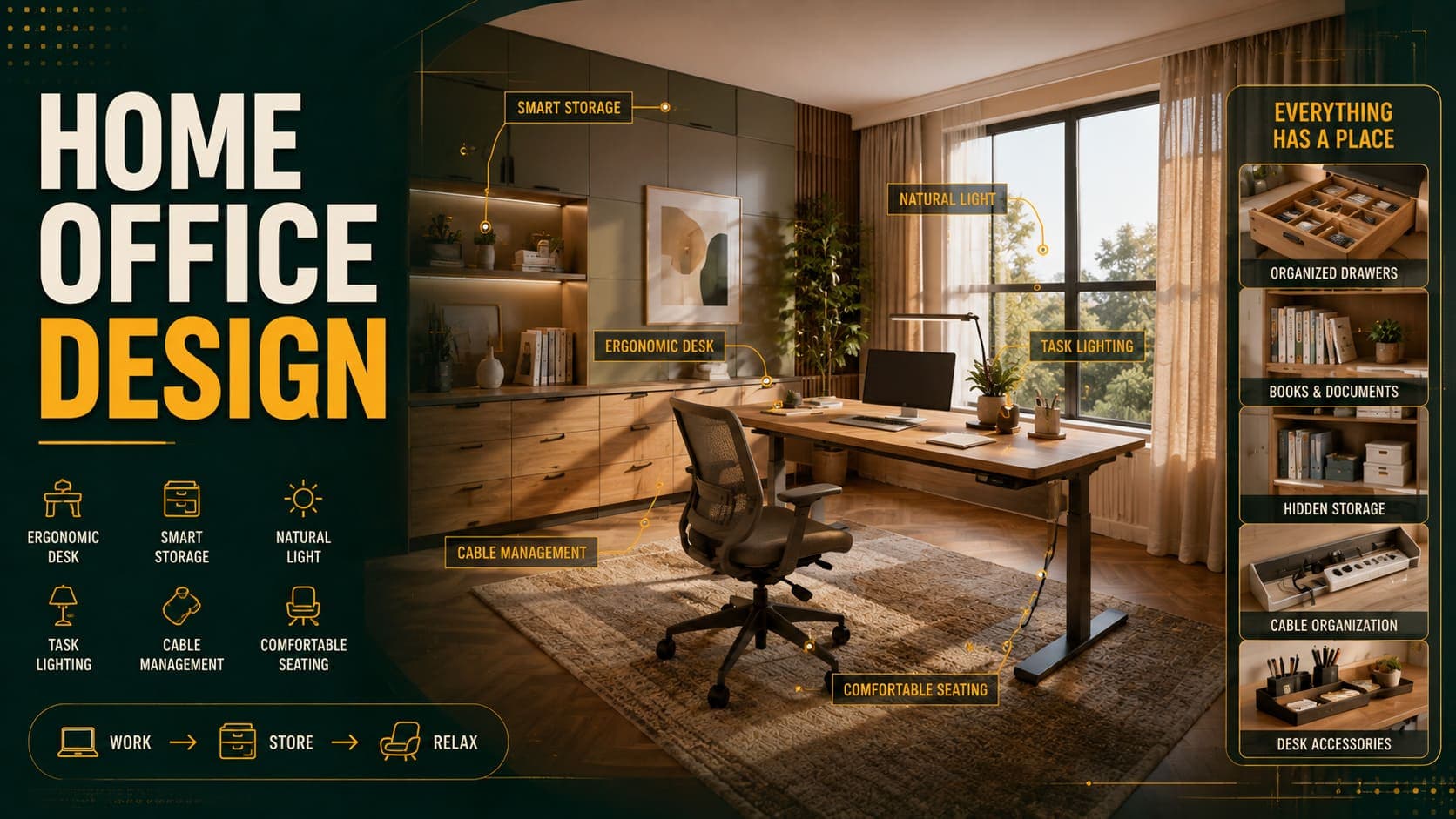
A drawer unit under or beside the desk for daily items.
A closed cupboard for the printer and cables. Printers are visually intrusive and rarely used.
Shelving above the desk — uses vertical space without occupying floor.
Cable management — a tray under the desk or a cable box. Visible cables are the most common visual failure in home offices.
What Doesn't
Filing cabinets — read as corporate and hold more than most people need.
Open shelving for everything — office contents don't look presentable on display.
Materials and Style
Styles That Work
Modern — clean, focused, uncluttered. The safest default.
Scandinavian — light and calm, good for small rooms.
Contemporary — warmer, suits home offices in family properties.
Industrial — metal-framed desk and shelving. Works if the property supports it.
Traditional — a wooden desk and bookcase, deeper wall colour. Suits period properties.
Colour
Neutral base is the safest.
Deeper colours work well here — navy, olive, deep green. Home offices tolerate more colour than most rooms, and a darker room can read as focused.
The caveat: a dark small room with poor light reads as oppressive.
Flooring
Hard flooring with a rug is the practical combination. Chair casters need a hard surface or a low-pile carpet; a rug provides acoustic softening.
Avoid: thick pile carpet, which chair casters don't work on.
For Property Presentation
The Strategic Question
Stage it as an office or a bedroom?
As an office if: the property already has enough bedrooms, the room is small, or the market skews toward professionals.
As a bedroom if: bedroom count is a headline selling feature.
As both if: you're staging digitally. Generating both versions costs very little and demonstrates flexibility rather than describing it.
What Makes It Read as a Real Office
An actual office chair, not a dining chair. This is the clearest signal.
A desk lamp — signals the room works in the evening.
Some visible storage — answers "where does my stuff go?"
Natural light in frame — buyers assessing an office want to know about light.
Before Photographing
Remove: paperwork, cables, the printer if possible, personal items, anything on the floor.
Keep: desk, chair, a lamp, one shelf of books, a plant.
Cable management makes a visible difference here more than in most rooms.
Shooting
From the corner showing the window. This demonstrates both the dimensions and the light.
Turn on the desk lamp even in daylight.
Common Mistakes
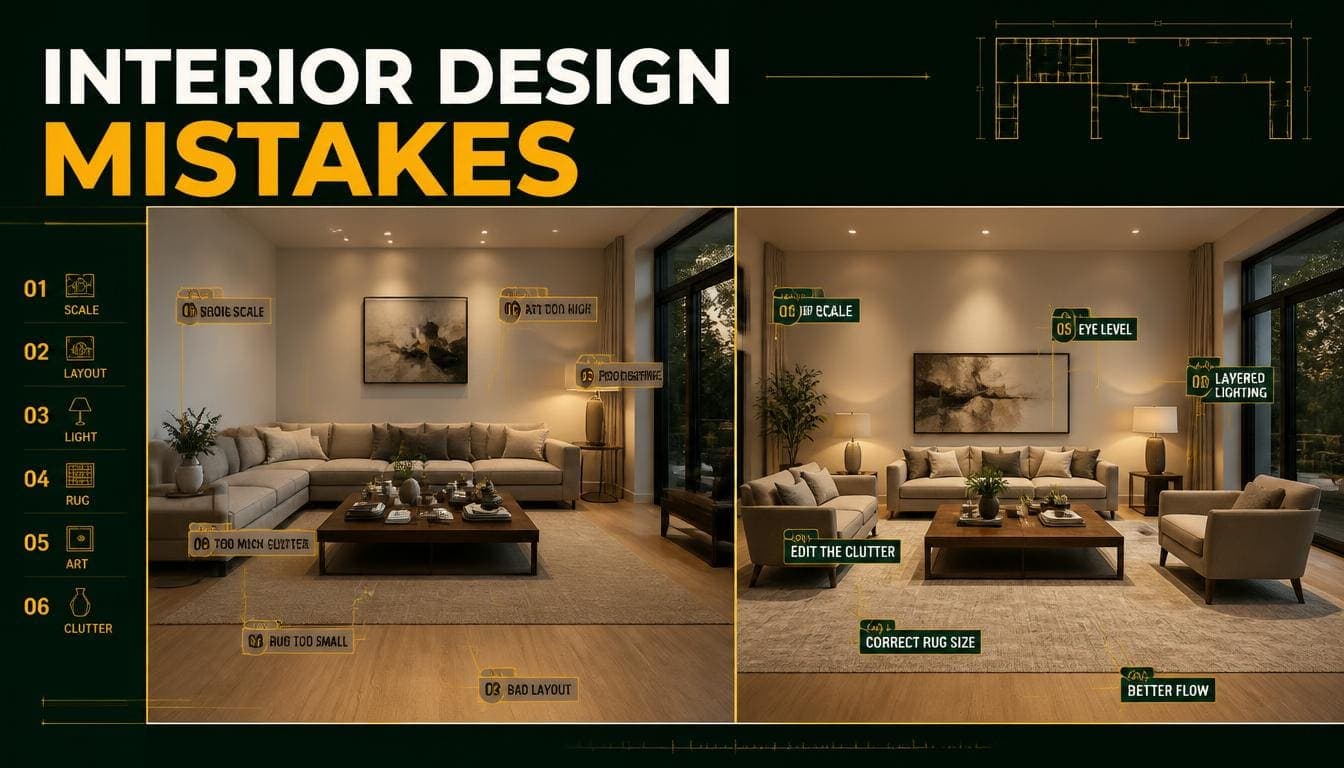
1. Laptop Directly on the Desk
The screen is far too low, forcing permanent neck flexion. A stand plus external keyboard costs $40–$80 and is the highest-return fix available.
2. Desk Backing onto the Window
Direct screen glare and silhouette on video calls.
3. Overhead Lighting Only
Glare on the screen and shadow on the desk from your own body.
4. Dining Chair Instead of an Office Chair
Fine for occasional use. Not for a full working day.
5. Ignoring Acoustics
A hard-surfaced room is more tiring to work in and sounds worse on calls. A rug is the cheapest fix.
6. Visible Cables
The most common visual failure. A cable tray costs $15–$30.
7. No Closed Storage
Office contents don't look good on display, and a workspace you can't visually switch off affects how the room functions after hours.
8. Wrong Desk Height
720–750mm suits average height. Shorter or taller users need a footrest, risers, or an adjustable desk.
Frequently Asked Questions
What height should a desk be?
720–750mm is standard. The check: feet flat, forearms on the desk, elbows at roughly 90 degrees.
Where should the monitor sit?
Top of the screen at or slightly below eye level, roughly an arm's length away — 500–700mm.
Should the desk face the window?
Perpendicular to it is best — light falls across the work surface without screen glare. Facing the window works with a blind. Backing onto it causes glare and silhouette on calls.
What lighting does a home office need?
Moderate ambient light plus a directed task lamp, at 3000–3500K. Overhead-only lighting causes screen glare and shadows on the desk.
How do I improve the acoustics?
A rug is the most effective single addition to a hard-floored room. Curtains, bookshelves with books, and upholstered furniture all help.
What's the highest-return home office purchase?
A laptop stand plus an external keyboard and mouse, at $40–$80, for anyone working full-time on a laptop. It fixes the most damaging ergonomic problem.
How small can a home office be?
Around 5–6 m² works with a slim desk. Below that, an alcove or corner setup is more honest than presenting it as a room.
Should I stage a spare room as an office or bedroom?
Depends on bedroom count. If it's a headline selling feature, stage as a bedroom. If not, an office may add more. Showing both versions is often the strongest approach.
What makes a staged home office look real?
An actual office chair rather than a dining chair, a desk lamp, some visible storage, and natural light in frame.
Summary
Ergonomics: desk at 720–750mm, monitor top at eye level, keyboard at elbow height, 700mm clearance behind the chair.
The highest-return fix: a laptop stand plus external keyboard, $40–$80.
Desk position: perpendicular to the window. Never backing onto it.
Lighting: ambient plus a directed task lamp at 3000–3500K. Never overhead only.
Acoustics: a rug is the cheapest and most effective addition to a hard-floored room.
For staging: an actual office chair is the clearest signal that the room is a real workspace.
Show the flexibility. DecoAI gives 3 free credits with no card required — enough to stage the same room as both an office and a bedroom and let buyers choose.