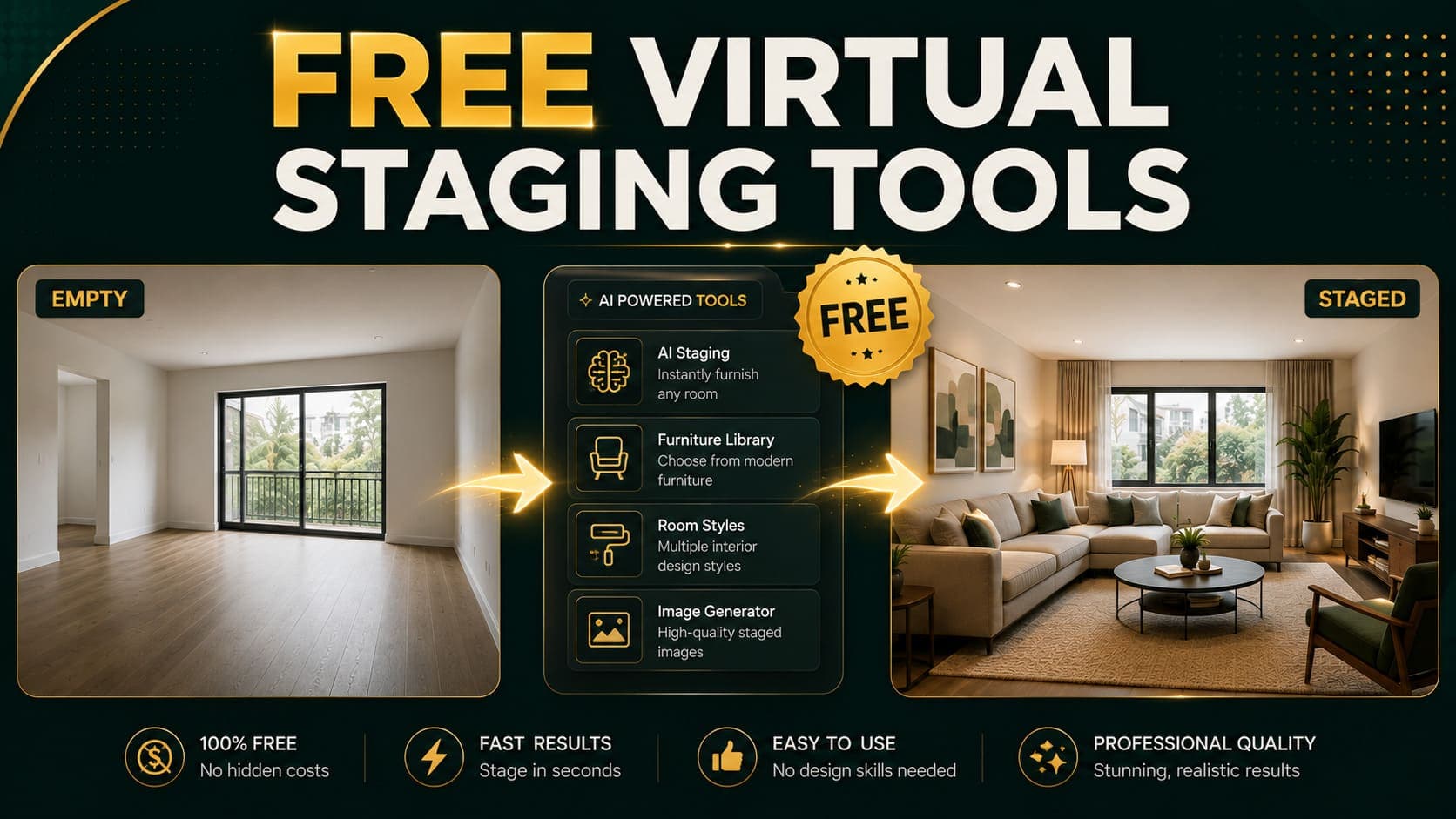
Search for free virtual staging and you'll find dozens of tools advertising it. Most of them aren't actually free — they generate your image, show you a watermarked preview, and then ask for a subscription to download it.
That's a demo, not a free tier.
This guide separates genuinely free tools from watermarked demos, explains the catches on each, and gives an honest answer about when free is good enough versus when spending $0.10 per image makes more sense.
The Three Types of "Free"
Understanding these categories saves you a lot of wasted time.
1. Genuinely Free Tiers
You get a limited number of clean, downloadable images at no cost. No watermark, no card required.
Examples: DecoAI (3 credits), ReimagineHome (5 designs), Homestyler (free tier)
2. Watermarked Demos
You can generate unlimited images, but every download carries a watermark across the image. Removing it requires payment.
Examples: Virtual Staging AI, Interior AI, several smaller tools
Useful for: Testing output quality before paying Not useful for: Any actual listing or marketing use
3. Free Trials Requiring a Card
Full access for 7–14 days, but you enter payment details upfront and get charged automatically unless you cancel.
Examples: Several subscription platforms
The catch: Easy to forget, and cancellation flows are often deliberately tedious.
Try DecoAI Free
3 free credits. No credit card needed. Stage any room in 30 seconds.
Get 3 Free CreditsGenuinely Free Options Compared
| Tool | Free allowance | Watermark | Card required | Output quality |
|---|---|---|---|---|
| DecoAI | 3 credits | No | No | High |
| ReimagineHome | 5 designs | No | No | High |
| Homestyler | Ongoing free tier | No | No | Moderate |
| RoomsGPT | Limited free | No | No | Moderate |
| Collov AI | Limited free | Varies | No | Moderate |
DecoAI — 3 Free Credits
What you get: 3 clean, full-resolution staged images Card required: No Watermark: None Catch: Only 3 images
The 3 credits are enough to stage one room in three styles, or three different rooms in one style. Output is identical to paid credits — no quality reduction on the free tier.
Best for: Testing whether AI staging works for your specific property before spending anything.
ReimagineHome — 5 Free Designs
What you get: 5 designs at full quality Card required: No Watermark: None Catch: Limited to 5, then subscription required
Notably, ReimagineHome's free designs run on the same model as paid — they've been explicit that the limit exists because generation costs compute, not because quality is throttled.
Best for: Testing the widest feature set — staging, furniture removal, landscaping, sky replacement.
Homestyler — Ongoing Free Tier
What you get: Continued free usage with feature limitations Card required: No Watermark: None on most outputs Catch: Slower generation, more manual work, output quality below dedicated staging tools
Homestyler blends AI with traditional 3D room planning. You do more of the work yourself, which is why they can afford a more generous free tier.
Best for: Design students, hobbyists, and anyone willing to trade time for cost.
RoomsGPT — Limited Free Generation
What you get: A number of free generations Card required: No Watermark: No Catch: Output quality noticeably below commercial tools, limited style options, no support
Best for: Casual experimentation and personal projects.
Watermarked Demo Tools
These let you generate freely but watermark every output.
Virtual Staging AI
Generate unlimited images without signing up. Every result carries a watermark. Removing it requires a subscription starting at $16/month.
Genuinely useful for: Judging output quality against your own photos before committing.
Interior AI
Similar model — free generation, watermarked output, subscription to download clean images.
Genuinely useful for: Testing redesign of furnished rooms, which is Interior AI's strength.
Why Watermarked Demos Still Have Value
Even though you can't use the output, running your actual room photos through three or four watermarked demos tells you something important: whether your photos stage well at all.
If every tool produces a mess from your photo, the problem is your photo, not the tools. That's worth knowing before you pay anyone.
Try DecoAI Free
3 free credits. No credit card needed. Stage any room in 30 seconds.
Get 3 Free CreditsThe Real Limitations of Free Tiers
1. Volume Caps
Three to five images sounds like enough until you realize a single property has five rooms and you'll want two or three variations of each. A realistic single-property workflow needs 10–15 generations.
2. No Regeneration Budget
The most important habit in AI staging is generating multiple variations and picking the best. With 3 free credits, you get one attempt per room. That's not how you get good results.
3. Feature Restrictions
Free tiers on some platforms lock the better models, restrict resolution, or limit style options.
4. No Support
If something breaks or produces consistently bad output, free-tier users generally don't get help.
5. Expiry
Some free trials expire after 7 days whether you use them or not.
When Free Is Genuinely Enough
Free tiers work well in three situations:
One-off personal use. Staging your own home before selling it, or visualizing a single room before buying furniture. Three to five images covers it.
Evaluation. Testing whether AI staging suits your property type before committing to anything paid.
Learning. Understanding how photo quality affects output, which styles work for your space, and how the workflow feels.
When Free Stops Making Sense
If You're Staging More Than One Property
Free tiers are per-account, and creating multiple accounts to farm free credits is both tedious and against most platforms' terms.
If You Want Multiple Variations
Generating three to five options per room and picking the best is the single biggest quality lever in AI staging. Free tiers don't allow it.
If You Need It Regularly
Any ongoing use case — agents, photographers, hosts with multiple properties — outgrows free tiers within the first week.
The Honest Math
At $0.10 per image, staging an entire five-room property with three variations each costs $1.50.
That's less than most people spend on parking. The gap between "free" and "adequate" is measured in single-digit dollars, which makes the free-versus-paid debate less consequential than it initially appears.
| Usage | Free tier | Paid cost |
|---|---|---|
| Test one room | Sufficient | $0.10 |
| Stage one property properly | Insufficient | $1.50 |
| Stage 10 properties | Insufficient | $15 |
| Stage 100 properties | Insufficient | $150 |
Free Alternatives That Aren't Virtual Staging
A few adjacent free options worth knowing about:
Photo Enhancement Instead of Staging
Sometimes a property doesn't need staging — it needs better photos. Free tools like Snapseed and Lightroom Mobile can correct exposure, straighten verticals, and improve color at no cost.
For an already-furnished property that photographs poorly, this is often the better intervention.
Free 3D Room Planners
Tools like Planner 5D and SketchUp Free let you build a room from scratch and furnish it. The output looks like a 3D render rather than a photo, which reads differently to viewers.
Useful for: Layout planning Not useful for: Photorealistic listing images
Decluttering and Lighting
Costs nothing and improves photos more than most people expect. Clear the room completely, open every curtain, turn on every light, shoot at midday.
Many properties that look like they need staging actually just need this.
How to Get the Most From Free Credits
If you're working with 3–5 free images, spend them strategically.
Don't Spend Them All on One Room
Use one credit on your best-lit room to judge output quality. If it's good, you know the tool works with your photography.
Prepare the Room Properly First
A free credit spent on a cluttered, badly-lit room tells you nothing except that bad input produces bad output. Clear the room, open curtains, turn on lights.
Test Your Hardest Room
If you have a room you're unsure about — odd shape, low light, unusual layout — test that one. Any tool handles a bright rectangular living room well. The difficult room is where tools differentiate.
Try One Unexpected Style
Generate your living room in a style you wouldn't have chosen. You'll sometimes discover the space works better in a direction you hadn't considered.
Compare Across Two Tools
Use free credits on two different platforms with the same photo. Direct comparison on identical input tells you far more than reading reviews.
Frequently Asked Questions
Is there completely free virtual staging software?
Homestyler and RoomsGPT offer ongoing free tiers, though output quality trails commercial tools. DecoAI and ReimagineHome offer limited free credits with full-quality output.
Do free virtual staging tools add watermarks?
Some do. Virtual Staging AI and Interior AI watermark free outputs. DecoAI, ReimagineHome, and Homestyler provide clean images on their free tiers.
How many free images can I get?
Typically 3–5 across most platforms. DecoAI gives 3, ReimagineHome gives 5. Homestyler and RoomsGPT offer ongoing but feature-limited free usage.
Is free virtual staging good enough for a listing?
For a single room, possibly. For a full property with multiple variations per room, no — the volume caps make proper workflow impossible.
Do I need a credit card for free virtual staging?
Not for DecoAI, ReimagineHome, Homestyler, or RoomsGPT. Some subscription platforms require card details for their trial periods.
What is the catch with free virtual staging?
Usually one of three: a watermark on output, a hard cap of 3–5 images, or reduced feature access. Read what's included before assuming full functionality.
Can I create multiple accounts to get more free credits?
It's against most platforms' terms of service and generally more effort than it saves. At $0.10 per image, paying is faster than account juggling.
Which free tool has the best quality?
DecoAI and ReimagineHome both deliver full-quality output on free tiers. Homestyler and RoomsGPT produce noticeably lower quality.
Should I use free tools or pay?
Use free credits to evaluate. If AI staging suits your property and workflow, the paid cost at $0.10 per image is low enough that it stops being a meaningful decision.
The Honest Recommendation
Free tiers exist for evaluation, and they're good at that. Use them.
Stage one room, judge the output, learn how your photography affects results. Three to five free images is exactly enough to answer "does this work for my property?"
What free tiers can't do is support an actual workflow. The habit that produces good staging — generating multiple variations and picking the strongest — requires more images than any free tier provides.
The good news is that the paid tier isn't much of a step up. At $0.10 per image, a full property with proper variation testing costs $1.50. The free-versus-paid question resolves itself pretty quickly at that price.
Start with free. DecoAI gives 3 credits with no card required and no watermark. If the output works for your property, the paid tier costs less than a cup of coffee for an entire listing.